
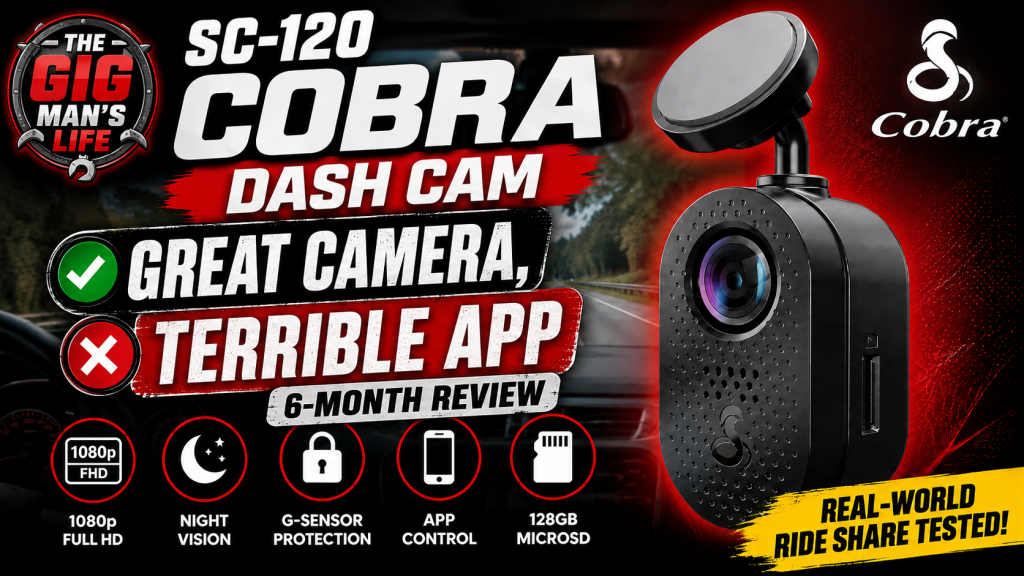
Cobra SC-120 Dash Cam: Six Months Later — Great Camera, Terrible App
After six months of daily use, I can say the Cobra SC-120 has turned out to be a pretty solid little dash cam.
I use it regularly while doing rideshare and gig work, and from the standpoint of actually recording what is happening on the road, it has done what I bought it to do. The camera is compact, discreet once installed, and inexpensive enough that it makes sense as a practical everyday dash cam.
There is, however, one part of the experience that has consistently frustrated me.
The app.
The Camera Itself Has Been Good
The SC-120 originally carried a suggested retail price of around $130, but I have regularly seen it available closer to the $70 range through places like Best Buy and Amazon.
At around $70, I think it is a very easy camera to recommend.
The camera itself is small enough that it does not dominate the windshield. Once the wiring is properly installed, you barely notice that it is there.
For somebody doing rideshare, delivery work, or simply spending a lot of time on the road, that matters. I do not necessarily want some enormous camera hanging in front of me all day.
I want something that records what is happening and stays out of the way.
That is basically what the SC-120 does.
The Weak Point Is the App
The biggest problem I have experienced has been getting the phone application to reliably connect to the camera when I actually want to retrieve footage.
During the review, I demonstrated the connection process and waited several minutes without getting a connection.
That has been pretty representative of my experience.
The software does have useful features. You need it when initially setting up the camera, and there are some traffic and driving-related functions available through the application.
But when I want to get a video off the camera quickly, I do not want to sit there hoping the wireless connection decides to cooperate.
At that point, I would rather simply access the files directly.
And that is exactly what I started doing.
My Workaround: Treat It Like Storage
Rather than relying on the app, I have been connecting directly to the camera or microSD card using adapters and data cables.
On older Lightning-equipped Apple devices, the Lightning to USB 3 Camera Adapter works well for this kind of job.
With my USB-C iPhone, I have also been able to use USB adapters and regular data cables to access the storage.
It may look a little ridiculous when you start stacking adapters together, but if it gives me immediate access to the video files, I really do not care what it looks like.
The important thing is making sure you are using actual data-capable cables and adapters. Not every USB cable is wired for data transfer.
That distinction becomes important very quickly when you are troubleshooting something like this.
Android Works, But VLC Helps
I also tested accessing the footage from an Android tablet.
The tablet could see the storage, but directly viewing some of the video files through the normal file interface was less convenient.
My solution was VLC.
VLC is free, widely available, and works well as both a media player and a simple way of browsing and opening the files on external storage.
If your Android device recognizes the microSD card or attached storage but does not want to conveniently play the footage, VLC is worth trying.
Depending on the device, a USB-C dock or powered hub may also make things easier.
Spare MicroSD Cards Are Probably the Simplest Solution
There is another solution that may be even easier.
Carry an extra microSD card.
If something happens that you know you want to preserve, remove the card from the camera and replace it with another one.
Then you can review and copy the original card later without worrying about the camera overwriting anything.
For somebody using a dash cam professionally, having a couple of spare cards around is not a bad idea anyway.
It also reduces the amount of time you have to spend sitting in the vehicle trying to transfer files.
Installation Matters More Than People Think
One thing I strongly recommend if you are installing a dash cam yourself is knowing where the vehicle’s airbags are located.
A lot of modern vehicles have curtain airbags running along the roofline and down portions of the pillars.
That is also exactly where people commonly try to hide dash cam wiring.
Do not simply shove a cable behind trim without understanding what is behind it.
You do not want wiring routed across the deployment path of an airbag.
Use proper trim tools, follow existing wiring paths where appropriate, and make sure the cable is positioned in a way that will not interfere with safety equipment.
A clean installation is good.
A safe installation is more important.
Why I Think Gig Drivers Should Have Cameras
After spending as much time on the road as I do, I have become a strong believer in having video documentation.
There are simply too many things that can happen.
Bad drivers.
Strange traffic situations.
Accidents.
Disputes about what actually happened.
For rideshare drivers, there can also be situations involving passengers where having a documented record may become important.
A dash cam cannot prevent any of those things.
But it can give you evidence afterward.
For around $70, that is a relatively inexpensive layer of protection.
What About Parking Mode?
The SC-120 does support parking-related recording features, but those features depend on the camera continuing to receive power.
That means your installation and power source matter.
If the USB port or accessory socket in your vehicle shuts off when the vehicle is turned off, you are obviously not going to get continuous parking coverage without using another power solution.
That could mean a hardwire kit, an appropriate battery system, or another source of constant power depending on the installation.
Six-Month Verdict
After six months, my opinion really has not become complicated.
The Cobra SC-120 is a good camera with a bad app.
The hardware has done what I expected it to do.
The camera is small, relatively inexpensive, and readily available. The recording quality has been useful for the purpose I bought it for, and I have not had a reason to replace the camera itself.
I simply stopped depending on the app for retrieving footage.
Once I found reliable ways to access the microSD card directly, most of my frustration disappeared.
At the original $130 retail price, I would probably look around and compare some alternatives.
At around $70?
I would buy it again.
And apparently, that may be the best compliment I can give a piece of gig-work equipment after six months of actually using it.
Great camera. Terrible app. Still worth buying.