
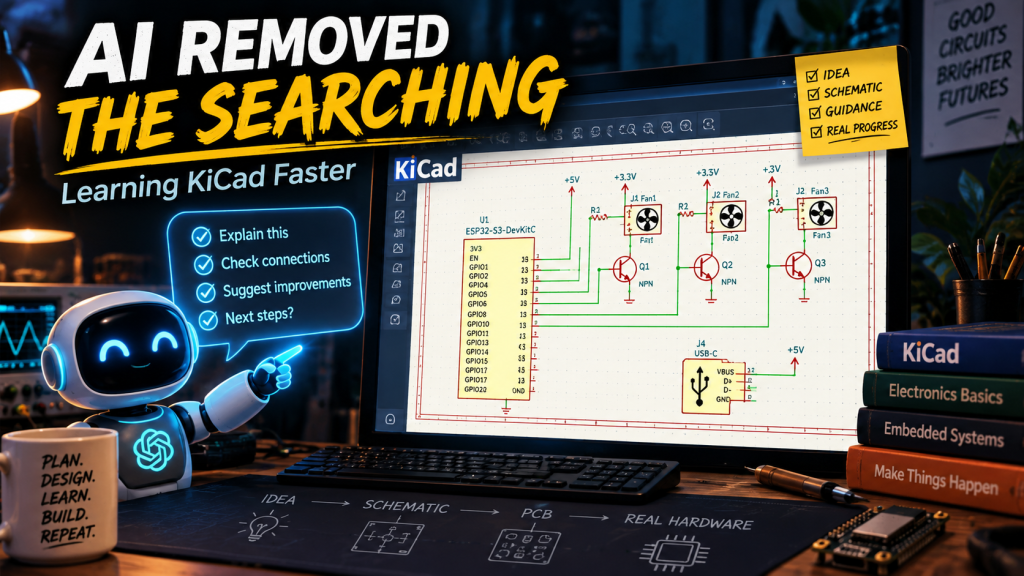
Yesterday I wrote about how artificial intelligence has gradually become less like a chatbot and more like a collection of assistants I would otherwise have to hire, call, or wait for.
There is another side to that which may be even more important.
AI has changed how quickly I can learn something I was already interested in learning.
Not because it magically downloads the knowledge into my head. Not because I can skip understanding what I am doing. And not because I can blindly copy whatever it says and expect everything to work.
The real acceleration comes from eliminating a huge amount of the hunting.
The old way of learning new software
Take KiCad.
I have been interested in electronics and PCB design for a long time, but interest and actually sitting down to build a board are two different things.
Traditionally, the first several hours would probably have gone something like this:
Search for a beginner KiCad video.
Discover that it was made for an older version.
Find another one.
Watch twenty minutes before getting to the one thing I actually needed.
Search for how to add a ground symbol.
Search for how to connect wires.
Search for what kind of transistor symbol I should use.
Search for how USB-C power works.
Search for how footprints differ from schematic symbols.
Search for what connector is appropriate.
Then probably find three different explanations from three different people who all assume slightly different levels of knowledge.
None of that is necessarily bad. There are excellent videos, articles, manuals, forums, and documentation available.
The problem is that I am trying to build something.
I don’t necessarily want to spend the afternoon becoming an expert in every KiCad menu before I can draw one useful circuit.
Learning the thing I need when I need it
What happened instead was much more direct.
I opened KiCad and started building the controller board for my Macintosh Classic conversion.
Then the questions came naturally.
How do I draw a wire?
How do I move this component?
How do I add ground?
What symbol do I use for this transistor?
Which side is the collector?
How should I wire the PWM control for this Noctua fan?
How do I bring the tachometer signal back into the controller?
How do I add a USB-C power connector?
What resistor values belong on the CC lines?
How do I switch the Raspberry Pi’s 5-volt supply?
What kind of MOSFET arrangement should I use?
What connector should I use to communicate between the ESP32 and Raspberry Pi?
Each question appeared because I had reached that exact point in the project.
And instead of leaving KiCad, searching the web, watching a video, scrubbing through it until I found the relevant twenty seconds, and then returning to the schematic, I could simply ask the question.
Then immediately do it.
That is a very different learning cycle.
I am still learning it
This is the important part.
AI did not eliminate the learning.
I now know more about KiCad than I did yesterday.
I know more about how schematic symbols work.
I understand more about the difference between an NPN transistor used as an open-collector control and a P-channel MOSFET used as a high-side power switch.
I understand why fan tachometer outputs need pull-ups.
I understand more about USB-C CC pins.
I understand more about why an always-on controller should manage the Raspberry Pi power rather than simply yanking its supply.
Those concepts did not disappear because AI explained them.
I still had to understand enough to build the circuit.
What disappeared was much of the overhead involved in finding the explanation.
The funny part is how much already feels familiar
There is another thing I noticed while learning KiCad.
A surprising amount of it isn’t actually new.
Once I learned where KiCad had hidden a particular command, I immediately recognized the behavior from other software.
Select this.
Move that.
Copy this group.
Paste it over there.
Duplicate the circuit.
Drag an object.
Rotate it.
Delete it.
Zoom in.
Zoom out.
Draw a connection.
Once I built the first fan-control circuit, I did not need to construct the second and third ones from scratch like I had never seen them before.
I could grab the section, copy it, move it, and modify the connections.
That is the same basic interaction model I have used in graphics software, CAD software, desktop publishing, diagramming programs, and countless other applications.
The software is new.
The underlying ideas often aren’t.
And that may be part of why learning modern software sometimes feels harder than it actually is.
The problem isn’t always understanding the concept.
The problem is discovering what this particular application calls it, where the button is, what shortcut it uses, and which library contains the thing you’re looking for.
The real learning curve is often navigation
That became increasingly obvious while building this board.
I wasn’t constantly asking, “What is electricity?”
I was asking questions like:
Where do I find this symbol?
What connector should I search for?
How do I place a power symbol?
How do I change this wire?
What is the KiCad name for the thing I already know I need?
How do I add this repository?
Which footprint would make sense for this connector?
Those are not really conceptual barriers.
They are navigation barriers.
And navigation barriers consume enormous amounts of time when you are new to a piece of software.
Once somebody tells you, “Press A, search for this symbol, then wire these pins,” the mystery disappears pretty quickly.
Existing knowledge transfers
That is one of the more useful things I have noticed from jumping between different technical areas.
Knowledge transfers.
If you have used drawing software, some CAD interactions make immediate sense.
If you have worked with Linux, networking concepts transfer into Raspberry Pi projects.
If you understand basic programming, embedded development isn’t completely alien.
If you’ve physically built things, mechanical constraints make more sense when you move into 3D modeling.
If you’ve worked with electronics at all, even casually, a schematic becomes less intimidating once somebody helps translate the software’s vocabulary.
You are rarely starting completely from zero.
You are usually starting from a pile of disconnected experience that needs to be mapped onto the new tool.
AI happens to be very good at helping with that mapping.
I can essentially say:
“I know what I want this thing to do. What does KiCad call it?”
That is an extremely useful question.
Powerful tools were already becoming accessible
This also connects to something larger.
For years, the software itself has become more accessible.
KiCad is available.
Blender is available.
FreeCAD is available.
OpenSCAD is available.
Linux is available.
Python is available.
Development tools that would once have required expensive commercial licenses are now sitting there waiting for anybody willing to download them.
The problem has increasingly become less about getting access to the tool and more about becoming competent enough to use it.
That second part has historically required time.
Sometimes a lot of time.
Documentation.
Courses.
Forums.
Videos.
Books.
Trial and error.
None of those are going away, and they shouldn’t.
But AI adds a different layer on top of them.
It gives you somebody to ask the stupid little question that is currently stopping you.
And those stupid little questions matter.
Tiny problems stop projects
A project does not always die because the person lacks intelligence or ability.
Sometimes it dies because they can’t figure out where one damn setting is.
Anybody who has worked with computers long enough knows this.
You can understand the entire concept and still lose an evening because the option you need moved from one menu to another between software versions.
Or because the tutorial uses a library that no longer ships by default.
Or because the connector has a different name than the one you searched for.
Or because one symbol uses a different pin ordering than the physical part you eventually want to buy.
These are tiny obstacles.
But enough tiny obstacles stacked together become friction.
And friction kills curiosity.
AI reduces the friction
That may be the biggest change for me.
I am much more willing to try something now.
Not because I assume AI can do the whole thing for me.
Because I know that when I hit the first unfamiliar piece, I probably won’t have to stop for two hours to figure out where to begin.
I can ask.
Try it.
See what happens.
Ask the next question.
That makes learning feel much more like experimentation and much less like homework.
And that matters when you’re doing this for fun.
There is still value in doing it yourself
The irony is that AI may make hands-on learning more appealing rather than less.
If somebody simply generates a finished PCB and hands it to me, I have learned almost nothing.
But if I am sitting in KiCad placing components, drawing connections, discovering why something doesn’t work, and correcting it, then I am actually learning the tool.
AI is simply acting as the person sitting next to me saying:
“No, that resistor goes on the other side.”
Or:
“That symbol is for a plug. You want the receptacle.”
Or:
“Don’t tie that GPIO directly to 3.3 volts if the button is going to ground.”
That is much closer to having an instructor available than having somebody else do the project.
The search cost is collapsing
For a long time, learning something technical involved two separate jobs.
First, learn the subject.
Second, figure out where the information about the subject is hiding.
AI is reducing the cost of the second job.
That is a much bigger deal than it sounds.
Because once the search cost drops, people can spend more of their time actually doing the thing.
I would rather spend two hours building a schematic and asking twenty small questions than spend two hours watching videos before touching the software.
That does not mean videos are useless.
It means I now have another option.
And when I do eventually watch the deeper tutorial, I will probably understand it better because I already have a real project and real questions in my head.
We may have spent decades solving only half the problem
The last several decades made sophisticated software dramatically more accessible.
We democratized the tools.
What we did not fully democratize was the ability to become productive with those tools quickly.
That still depended heavily on time, education, mentorship, documentation, or stubbornness.
AI is beginning to attack that second problem.
Not by making everybody an expert.
Not by removing the need to understand what they are doing.
But by shortening the distance between:
“I wonder if I could do this.”
and:
“Okay, I have the software open. What do I click next?”
That is a very different kind of acceleration.
And after spending an afternoon learning KiCad while simultaneously designing a real power-management board, I think that may be one of the more practical uses of AI that gets overlooked.
It isn’t just doing work for me.
Sometimes it is making it much easier for me to learn how to do the work myself.